
Toddler Tech Talk
Digital Delegation: Why Using a Tablet for 15 Minutes is a Valid Parenting Tool
In 2026, we are witnessing a major shift in the parenting landscape. We're moving away from the "Human Giver Syndrome" — the idea that parents (especially moms) must sacrifice every second of their personal well-being for their children—and toward something much more sustainable: Radical Delegation.
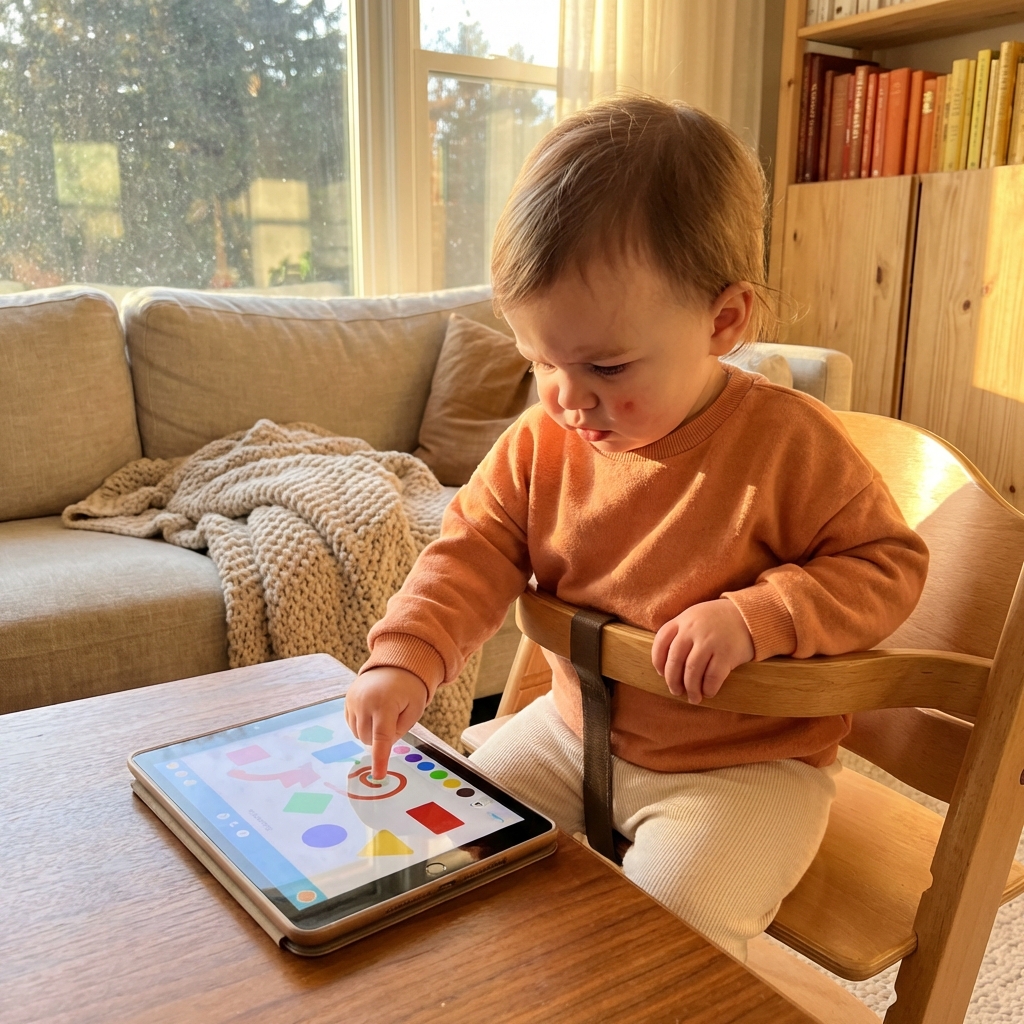
If you've ever felt a pang of guilt for handing your toddler a tablet so you could finish a hot cup of coffee or—heaven forbid—take a shower, this is for you.
In 2026, we are witnessing a major shift in the parenting landscape. We're moving away from the "Human Giver Syndrome" — the idea that parents (especially moms) must sacrifice every second of their personal well-being for their children—and toward something much more sustainable: Radical Delegation.
What is Radical Delegation?
Radical delegation is the intentional choice to offload specific, high-friction tasks to reliable "village members." In the modern age, your village isn't just the neighbor down the street; it includes the smart, safe technology in your pocket.
Reducing the parenting mental load with technology isn't about checked-out parenting; it's about resource management. You only have a finite amount of "patience fuel" each day. Spending 15 minutes of that fuel fighting a toddler while you try to cook dinner is a bad investment. Delegating those 15 minutes to a trusted digital tool is a strategic win.
The important word is “specific.” Radical delegation works best when the task is small and clearly defined. You are not outsourcing connection, discipline, or emotional development. You are outsourcing a tiny window of attention so you can finish a task that keeps the household moving. That can be the difference between responding calmly and snapping because you have been interrupted thirty times in ten minutes.
The "Safe Third Party" vs. The "Digital Babysitter"
There's a difference between "parking" a child in front of an endless autoplay loop and using a Digital Delegation Tool. A delegation tool acts as a "Walled Garden." It's an architecture that says: "You are safe here, the boundaries are set, and I (the parent) can step away for a moment without worrying about what you'll click on next."
A digital babysitter keeps demanding attention from the child and usually creates more work for the parent later. A safe third party does the opposite: it reduces risk, protects the device, and gives the parent a defined pocket of time. The difference is intention. You are not trying to disappear from parenting. You are choosing a tool that helps you handle a specific moment without turning the whole afternoon into a fight.
When 15 Minutes of Screen Time Actually Helps
Parents often talk about screen time as if every minute is identical. In reality, context matters. Fifteen minutes while you make dinner, call the pediatrician, unload groceries, or sit quietly after a hard morning is not the same as hours of autoplay video. A short, contained session can prevent bigger stress for the whole family.
The key is to define the job before the device appears. “This will help us get through the restaurant wait.” “This will help me buckle the baby into the car seat.” “This will give me enough room to reset before I lose my patience.” When the screen has a job, it is easier to end the session when the job is done.
This is also where low-stimulation design matters. If the app leaves your child wired, upset, or begging for more, it has not reduced the mental load. It has delayed it. A good delegation tool should help the household land more softly, not create a second wave of conflict.
If your family needs a shared rulebook, the American Academy of Pediatrics' Family Media Plan is a helpful companion: it turns vague screen-time guilt into concrete boundaries, routines, and device-free moments.
3 Ways to Delegate Your Mental Load Today
The Chore-Time Pivot:
Instead of trying to "entertain" your toddler while you fold laundry, delegate their focus. 15 minutes of a low-stimulation building game can be the difference between a productive afternoon and a total household meltdown.
The Morning Transition:
Use a "Morning Vault" on your phone. If you need 10 minutes to wake up and read an email, let your toddler explore a pre-vetted, locked app. It's not "giving in"—it's structuring your success.
The Travel Lifesaver:
Travel is the ultimate test of the mental load. Radical delegation means knowing when to lean on your digital village to survive a long flight or a delayed car ride.
The 15-Minute Framework
A healthy digital delegation session has three parts: a reason, a boundary, and a return. The reason is the parent's task. The boundary is the locked app or the timer. The return is what happens afterward. Without those three pieces, screen time can drift. With them, it becomes a tool you can use without feeling like the device is running the show.
- •Reason: “I need to cook the pasta safely,” “I need to answer this daycare message,” or “I need five quiet minutes to reset.”
- •Boundary: One app, Guided Access enabled, a short window, and no open feed.
- •Return: A snack, a walk, a book, or another physical-world activity that helps the child transition.
Why ToddlerLock is Your Most Trusted Village Member
We built ToddlerLock specifically for this era of Radical Delegation. We know that for technology to actually reduce your mental load, it has to be invisible. If you're constantly worrying about your child exiting an app or accidentally calling your boss, the "mental load" hasn't actually decreased—it's just changed shape.
ToddlerLock offers:
- •A "Hard Stop" to Curiosity: Your toddler stays in the app you chose. No accidental Amazon orders, no deleted photos.
- •Zero-Friction Setup: Because tired parents don't have time for 12-step tutorials.
- •Empathy-First Design: We don't use flashy lights or addictive "ding" sounds that lead to overstimulation. We provide a calm, locked space.
What Parents Should Avoid
Digital delegation works poorly when the tool creates more decisions. If you hand over an unlocked device, you have to monitor every swipe. If you choose an app with ads, you have to watch every tap. If you rely on autoplay video, you have to manage the emotional crash when the stream stops.
The safest setup is boring in the best possible way. The parent knows what the child can access. The child gets predictable play. The session has an end. That simplicity is what turns technology from another source of mental load into something that actually helps.
How to Set Boundaries Without Making Screens Feel Forbidden
Toddlers do better with rituals than explanations. Instead of saying “no more screen time” ten different ways, build a repeatable pattern: open the same safe app, use it in the same kind of moment, and close it with the same phrase. Predictability lowers the drama because the child learns what happens next.
- •Use the same cue: “Phone play while I cook” is clearer than negotiating from scratch every time.
- •Use the same exit: End with a snack, a song, a book, or another familiar handoff.
- •Use the same boundary: Guided Access keeps the rules consistent even when a toddler is determined to test them.
Real-Life Delegation Scenarios
The value of a safe digital tool becomes clearest in ordinary moments. Imagine you are trying to unload groceries while your toddler wants to be held. Ten minutes inside a locked, low-stimulation app can keep the child nearby and content while you get food into the fridge. That is not replacing parenting. That is preventing the kind of chaos that makes everyone feel worse.
Another common moment is the restaurant wait. A hungry toddler in a crowded place is not practicing patience in a vacuum. They are surrounded by noise, smells, strangers, and delayed food. A short, bounded session can help bridge the gap until the meal arrives. When the food comes, the device goes away and the family returns to the table.
The same applies to medical appointments, sibling pickups, and long car rides. These are not moments where parents are trying to avoid their child. They are moments where parents are managing safety, timing, and emotional load all at once. Thoughtful delegation gives the child something predictable while the adult handles the logistics.
How to Keep Delegation from Becoming a Habit Loop
The risk with any helpful tool is that it becomes the default for every uncomfortable moment. That is why it helps to choose your “screen moments” on purpose. Some moments are good candidates for digital delegation: cooking with hot pans, making a necessary phone call, navigating an airport, or waiting in a place where running around is not safe. Other moments might be better served by snacks, outdoor time, books, music, or simply letting the toddler be bored for a few minutes.
A useful rule is to ask: What problem am I solving right now? If the answer is specific, the tool is probably serving you. If the answer is vague, such as “I just do not want to deal with this,” pause and choose the smallest next step. Sometimes that step is a screen. Sometimes it is a glass of water and a deep breath.
The Bottom Line: You Can't Pour from an Empty Cup
In 2026, the best parents aren't the ones who never use screens. They are the ones who use screens wisely to ensure they have the energy to show up for the "80%" of the day that matters most.
Stop feeling guilty for delegating. Start using the tools that were built to help you breathe.
FAQ
Is using a tablet for 15 minutes bad parenting?
No. A short, intentional, supervised session can be a reasonable tool when it helps a parent complete a necessary task or regulate during a stressful moment.
What makes screen time “delegation” instead of avoidance?
Delegation has a clear purpose, a safe boundary, and an endpoint. Avoidance tends to be open-ended and often relies on feeds or autoplay content.
How can I reduce guilt around toddler screen time?
Focus on quality, context, and boundaries. A calm locked app used briefly is very different from handing over an unrestricted device.
Trusted references
Sources Worth Keeping Handy
I link to official support pages and reputable parenting or health resources when they help parents verify the safety steps behind the article.
Read next
Related Toddler Tech Guides


Share this article